What’s New?
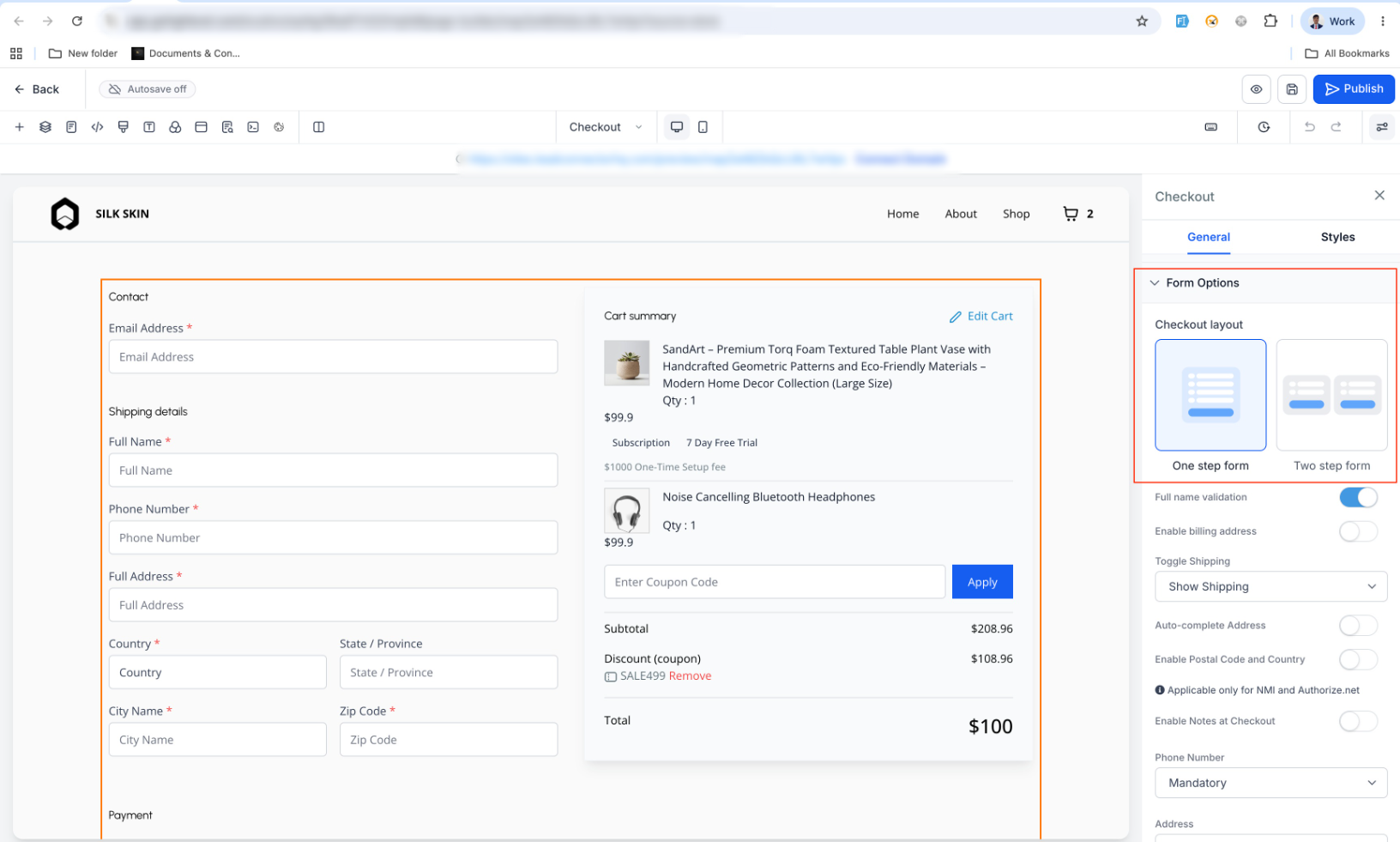
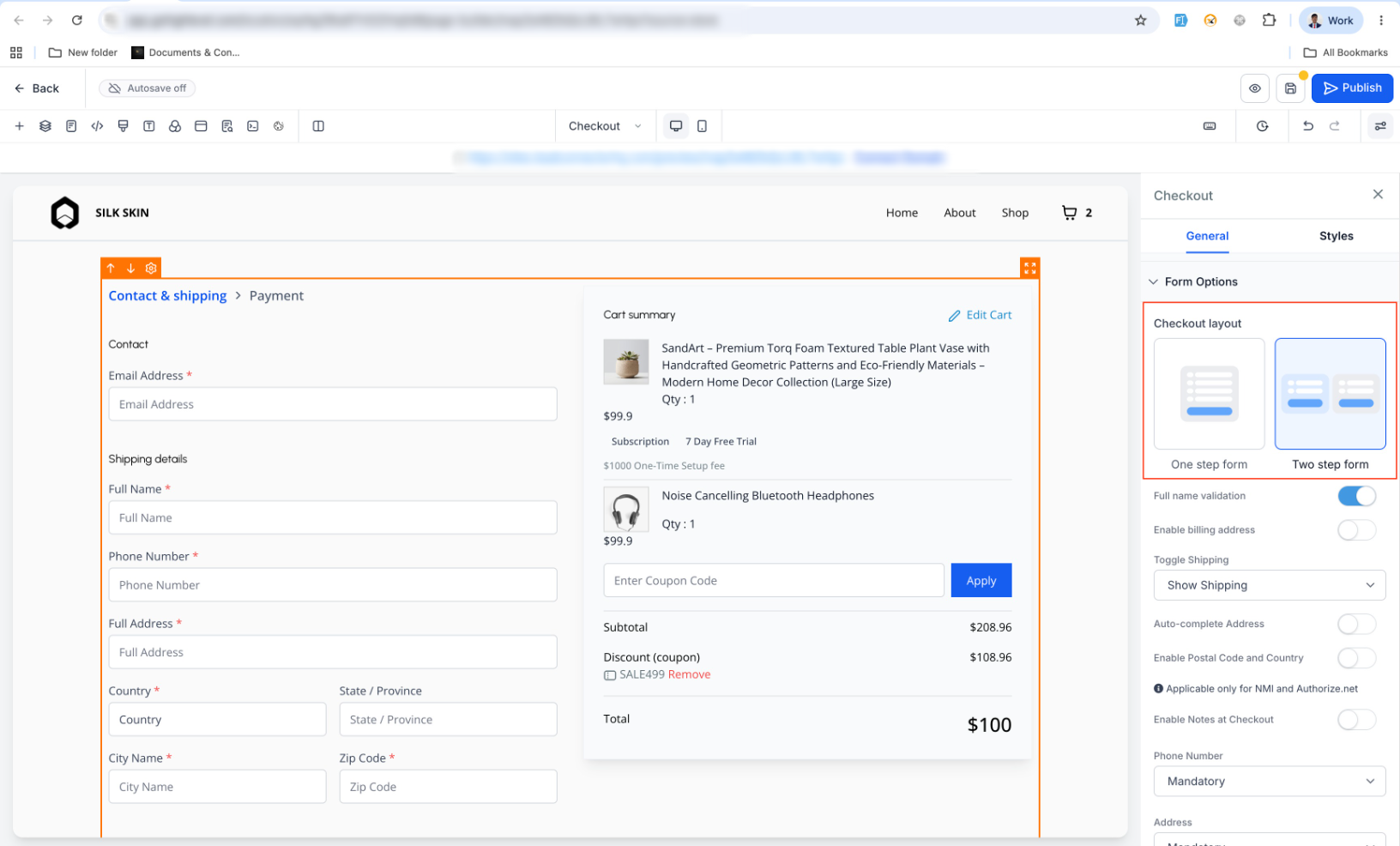
Store owners can now choose between One-Step Checkout and Two-Step Checkout from the Checkout element’s Form Options in the Builder.
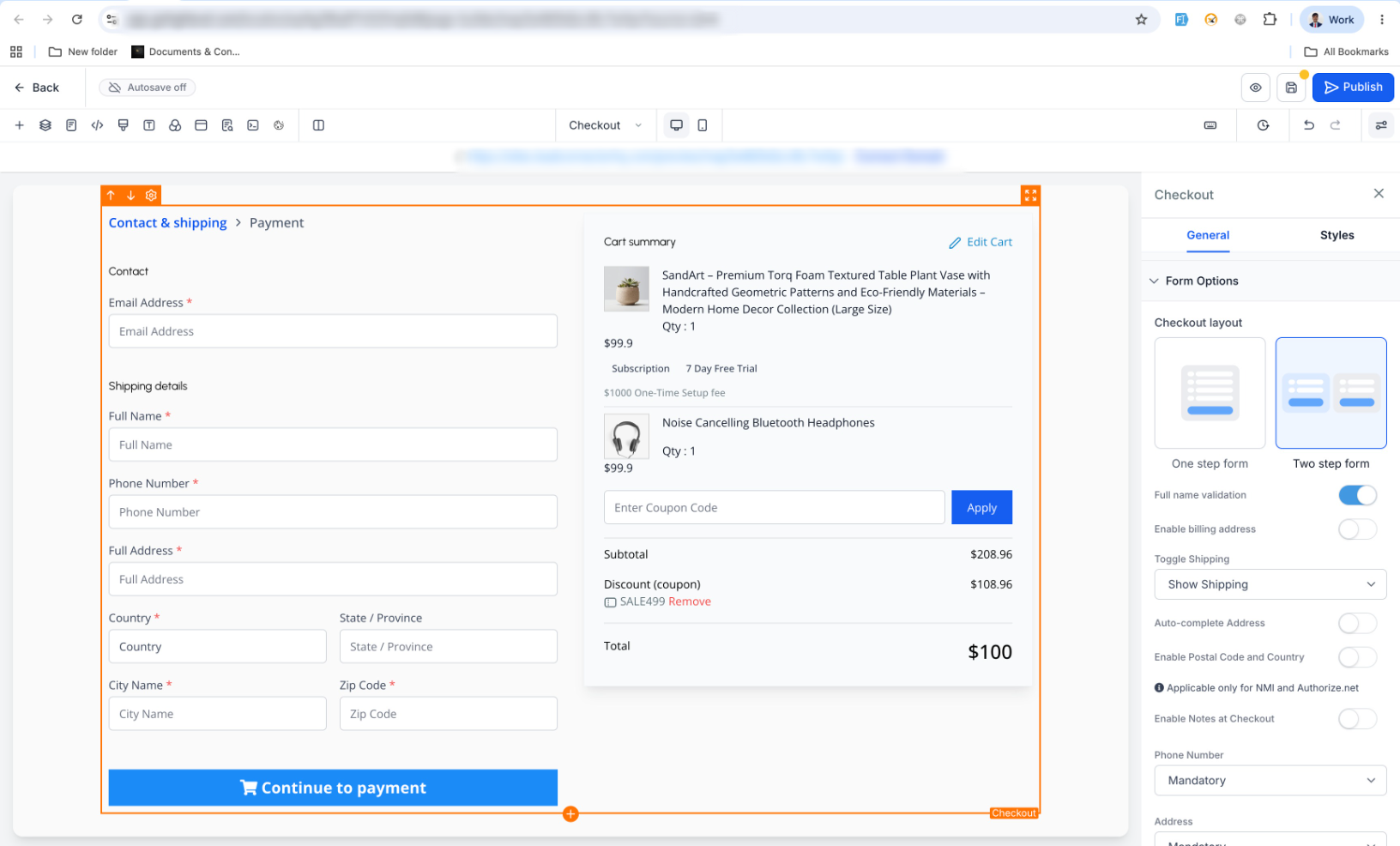
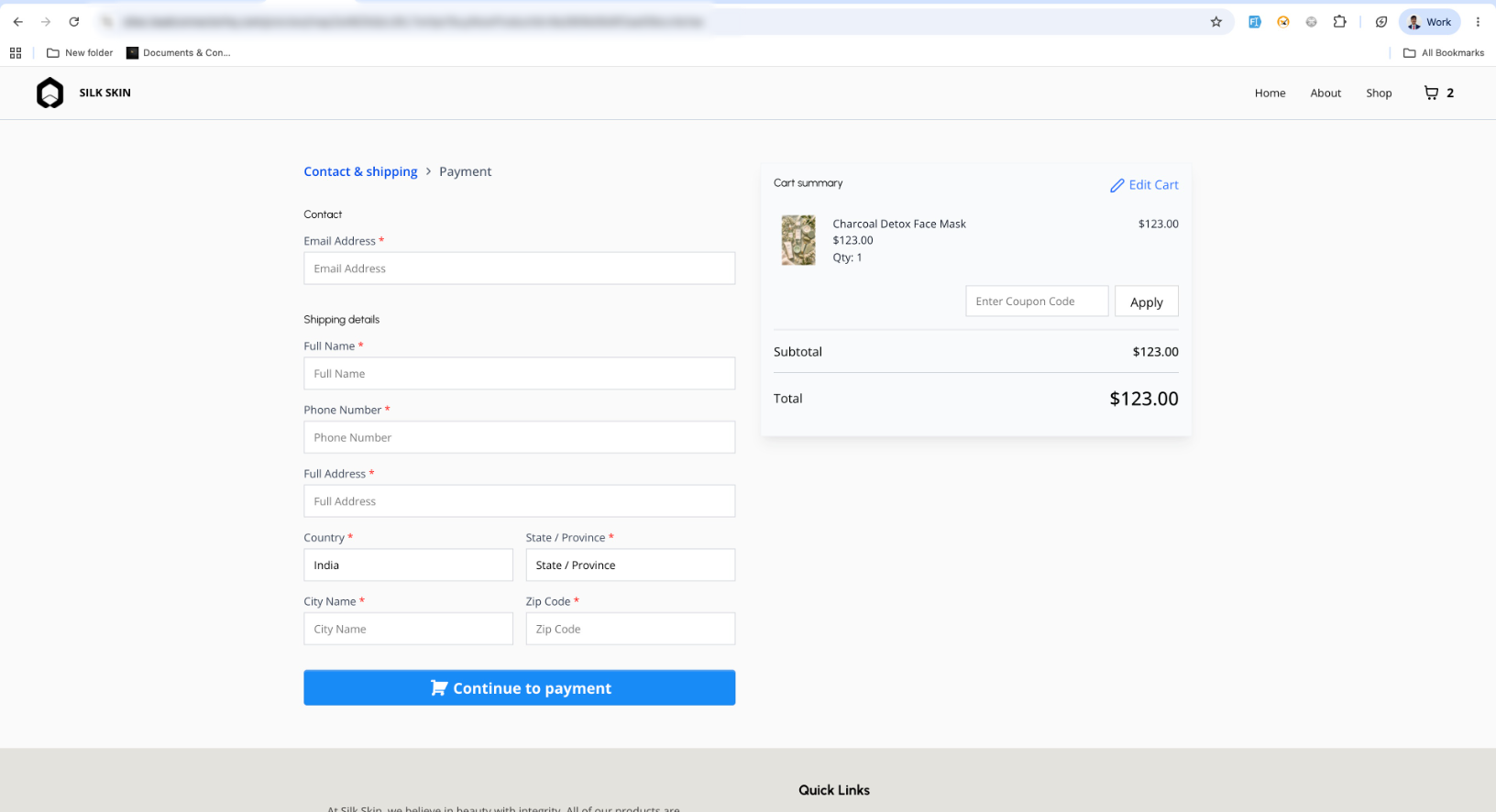
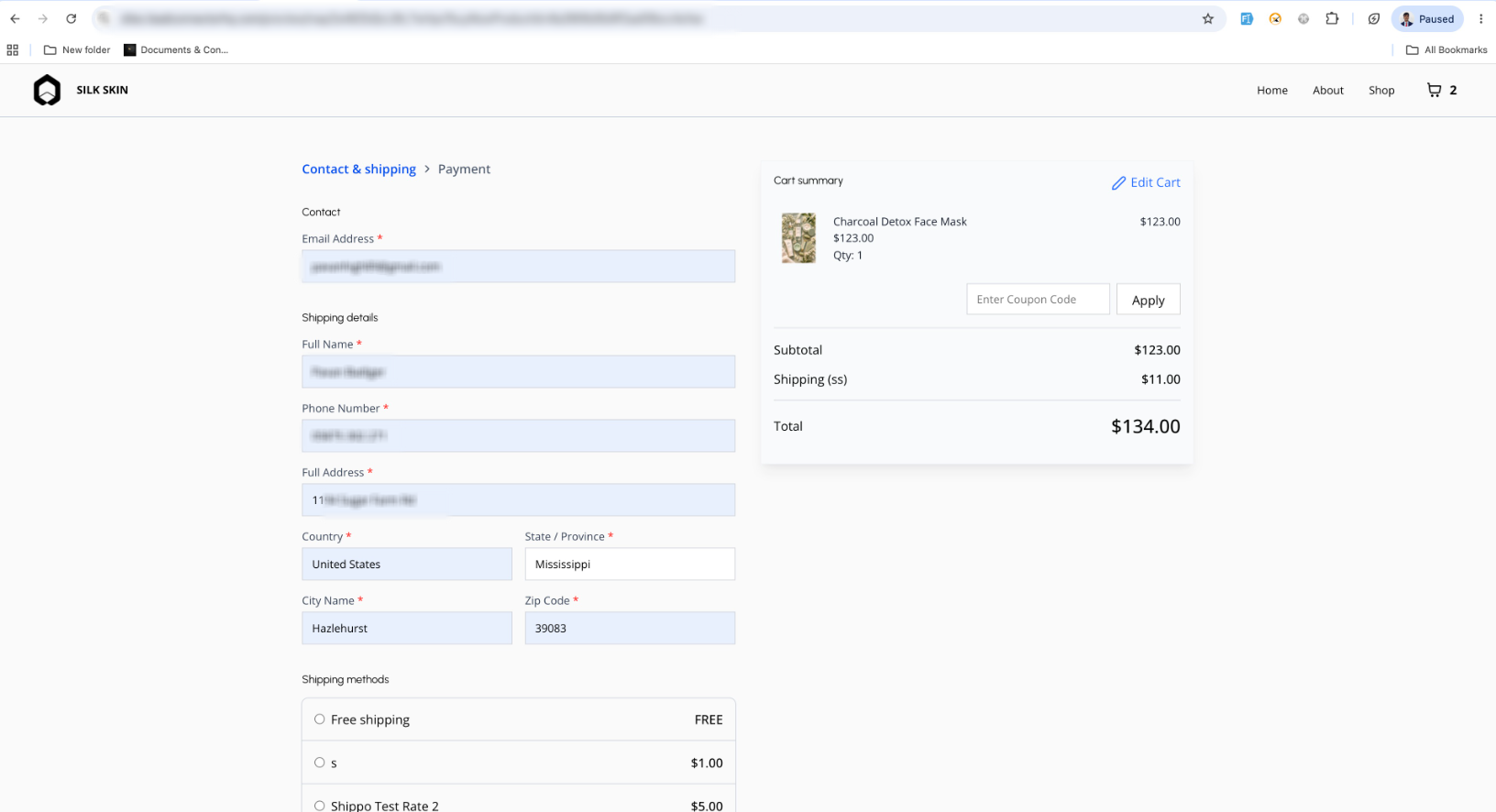
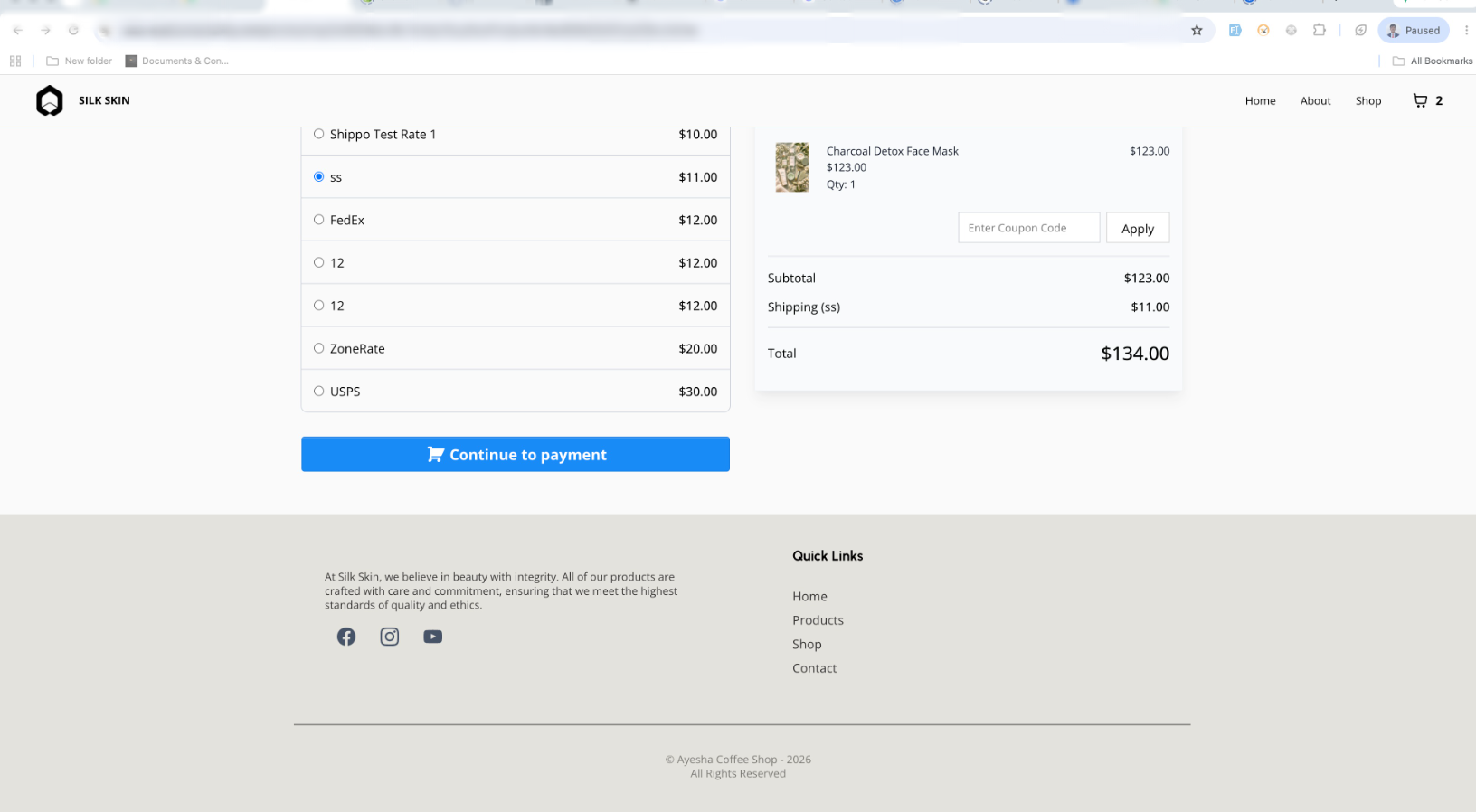
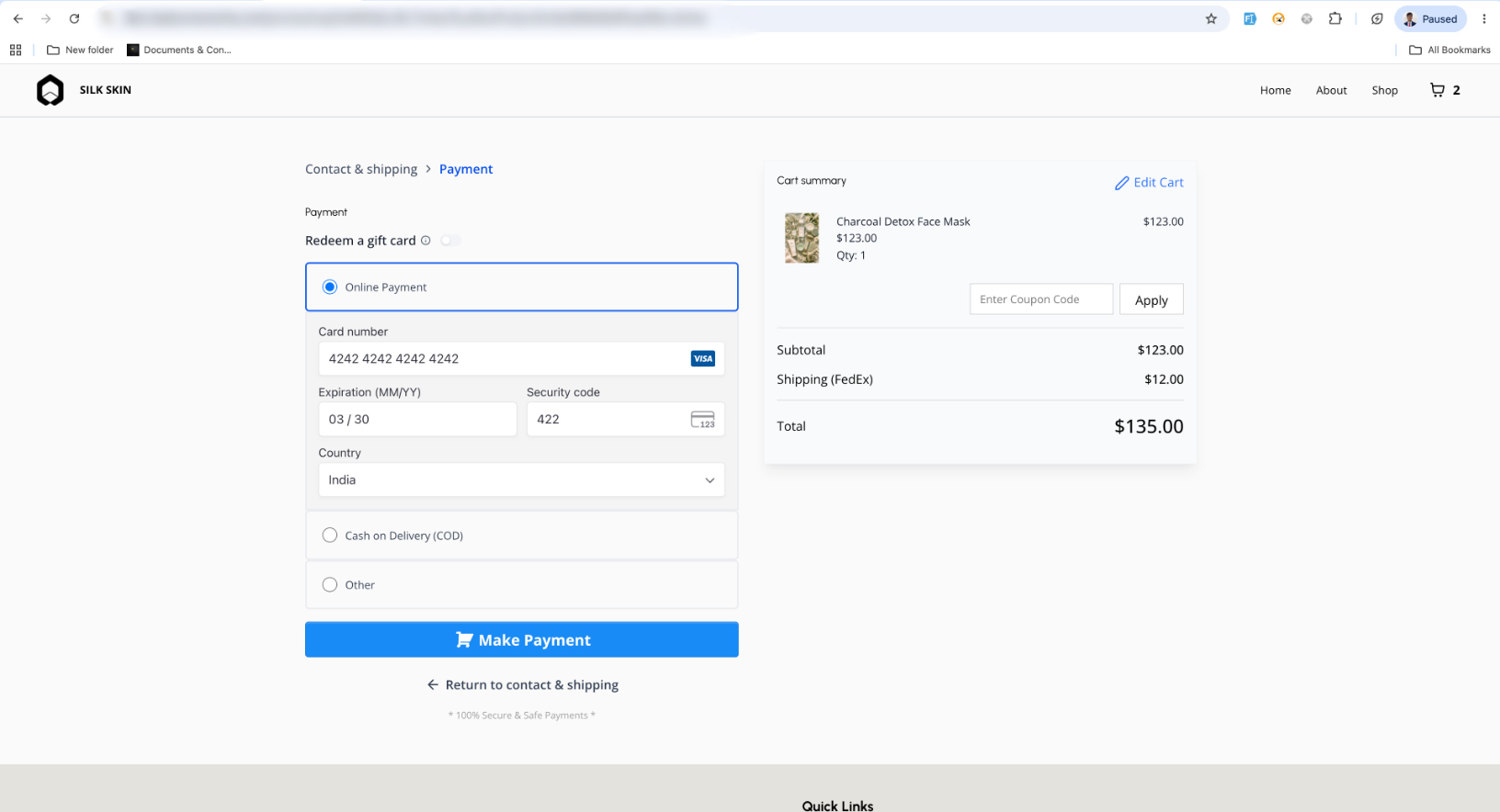
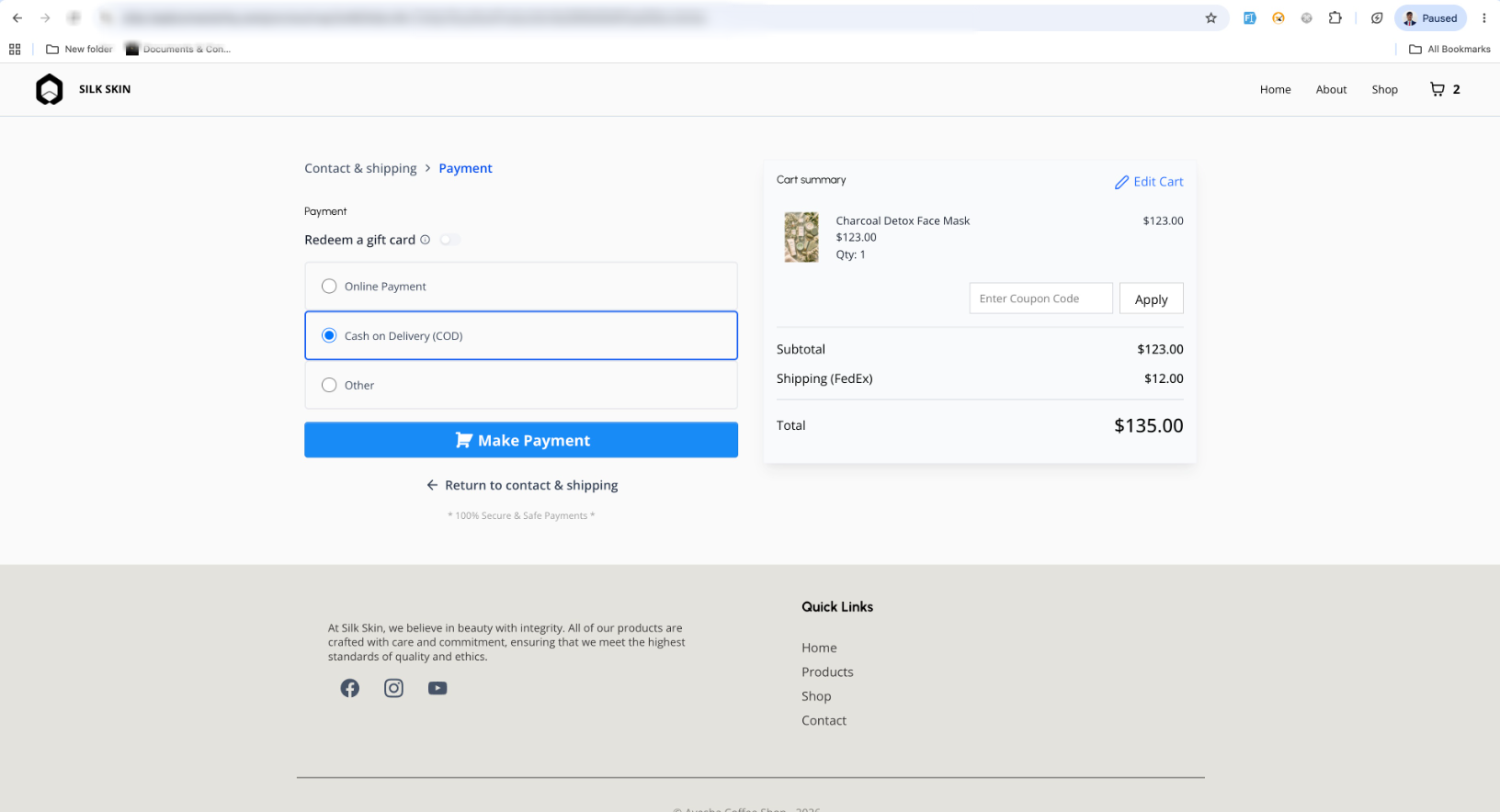
With Two-Step Checkout, customers first enter their contact details, shipping followed by billing, payment, and order review in the second step.
- Checkout Type Selection
- New Checkout Type setting available for the Checkout element.
- Options include: One-Step Checkout, Two-Step Checkout
- Two-Step Checkout Flow
- Step 1: First Name, Last Name, Email, and Phone Number, Shipping
- Step 2: Billing, payment, order review, and place order
- Default Behavior
- One-Step Checkout remains the default.
- Existing checkout pages will continue to work as they do today.
How to Use It?
- Open the Store Builder and edit the Checkout Page.
- Select the Checkout element.
- Go to Form Options in the settings panel.
- Choose One-Step Checkout or Two-Step Checkout.
- Save and publish the page.
Key Points to Note:
- Two-Step Checkout helps capture customer contact & shipping details earlier.
- Customers can proceed to Step 2 only after valid Step 1 details are entered.
- The setting works at the Checkout element level, so different pages can use different checkout types.
Images:
Was this article helpful?
That’s Great!
Thank you for your feedback
Sorry! We couldn't be helpful
Thank you for your feedback
Feedback sent
We appreciate your effort and will try to fix the article