MM API is Meta's next-generation marketing solution built to enhance the customer experience and deliver the right message to more of the right people. Unlike Cloud API — which applies no delivery intelligence to marketing messages — MM API uses quality-based optimization to prioritize high-engagement sends, resulting in
up to +9% higher delivery rates
vs. Cloud API, validated by Meta's own A/B test across 12M+ messages.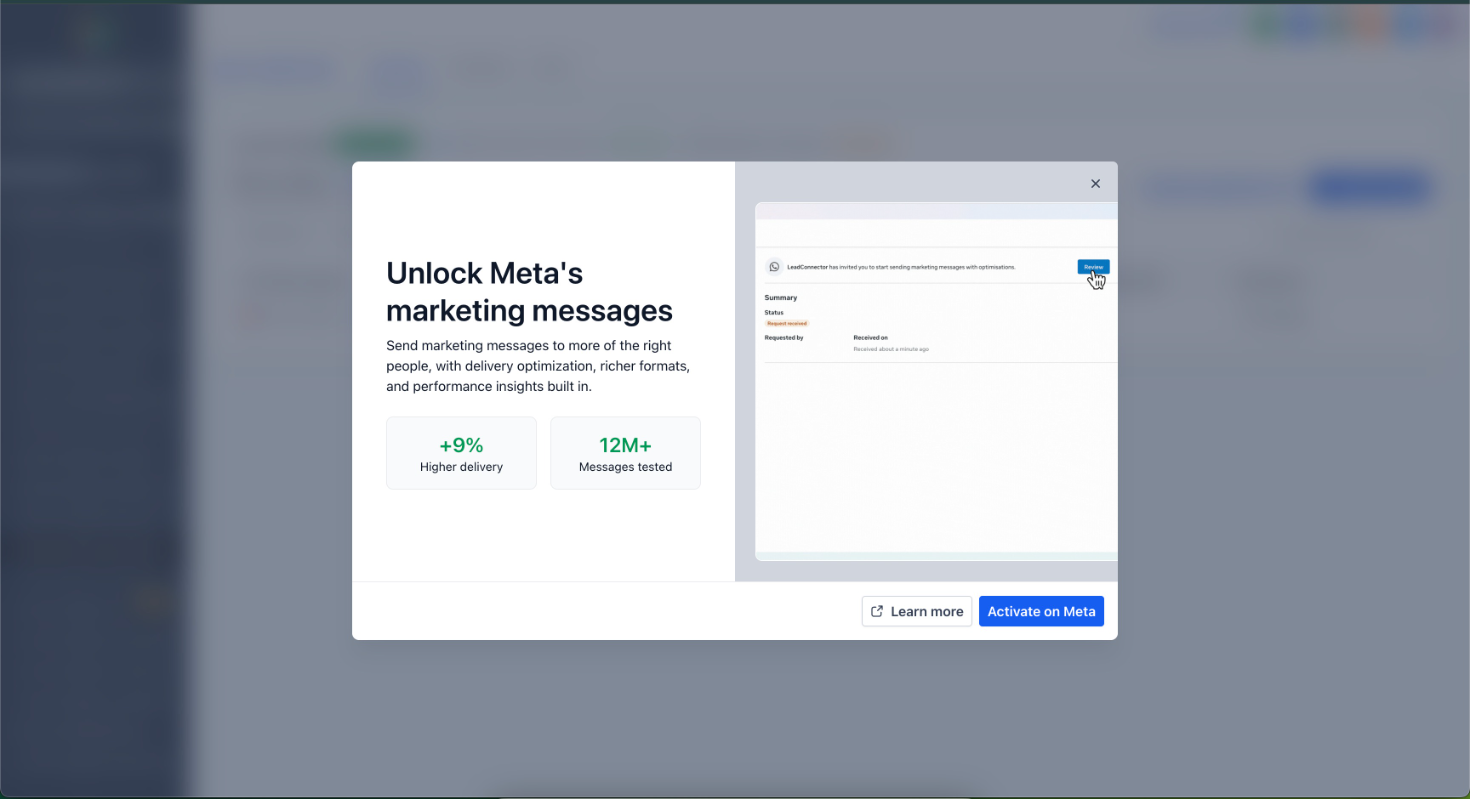
> Every marketing campaign your accounts run on Cloud API today is missing delivery, conversion tracking, and creative capabilities that are only available on MM API. The upgrade takes minutes.
What's New vs. Cloud API
Optimization
- Quality-Based Delivery:MM API factors message engagement signals into delivery decisions — prioritizing messages that are expected, relevant, and timely. Cloud API has no equivalent. Result: up to+9% higher deliveryfor high-engagement messages.
- Automated Creative Optimizations(Pilot):Meta automatically enhances the visual appeal of marketing templates — including image animation and filtering — to improve performance without any manual effort.
Richer Message Formats
- Animated GIF Headers:Send GIF media in message template headers. Not supported on Cloud API.
- Android App Deep Links:Send links that directly open your app on a customer's phone. Not supported on Cloud API.
- All existing formats supported:Media, carousel, product catalog, flow, interactive list, interactive reply, and more — everything Cloud API supports, plus the above.
Measurement & Guidance
- Tailored Recommendations:Receive evidence-based suggestions to improve future campaign performance. Exclusive to MM API.
- Cost Metrics:Spend per Template, Cost per Click, and Cost per Delivery — available on both MM API and Cloud API.
- Basic Metrics:Sent, Delivered, Read, Clicked, Errors — available on both.
Onboarding & Technical
- Existing phone numbers and MM templates work as-is— no re-creation needed.
- Coexistence supported— WhatsApp Business App users can be onboarded without disruption.
How to Activate
- In the account, go to Settings → WhatsApp. A banner prompting MM Lite activation will appear.
- Click Enable MM Lite— this redirects to the WhatsApp account interface.
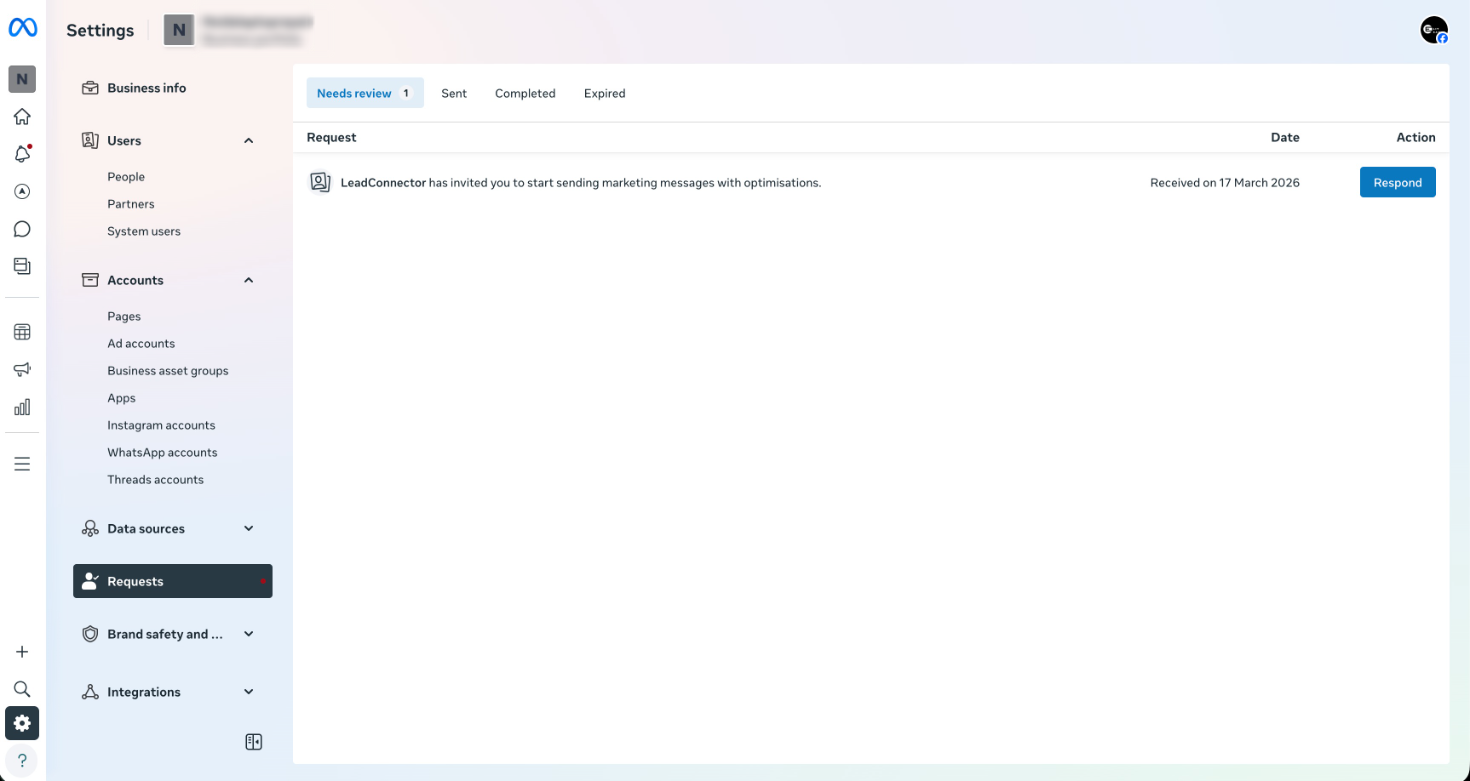
- Navigate to the Requeststab and clickRespond.
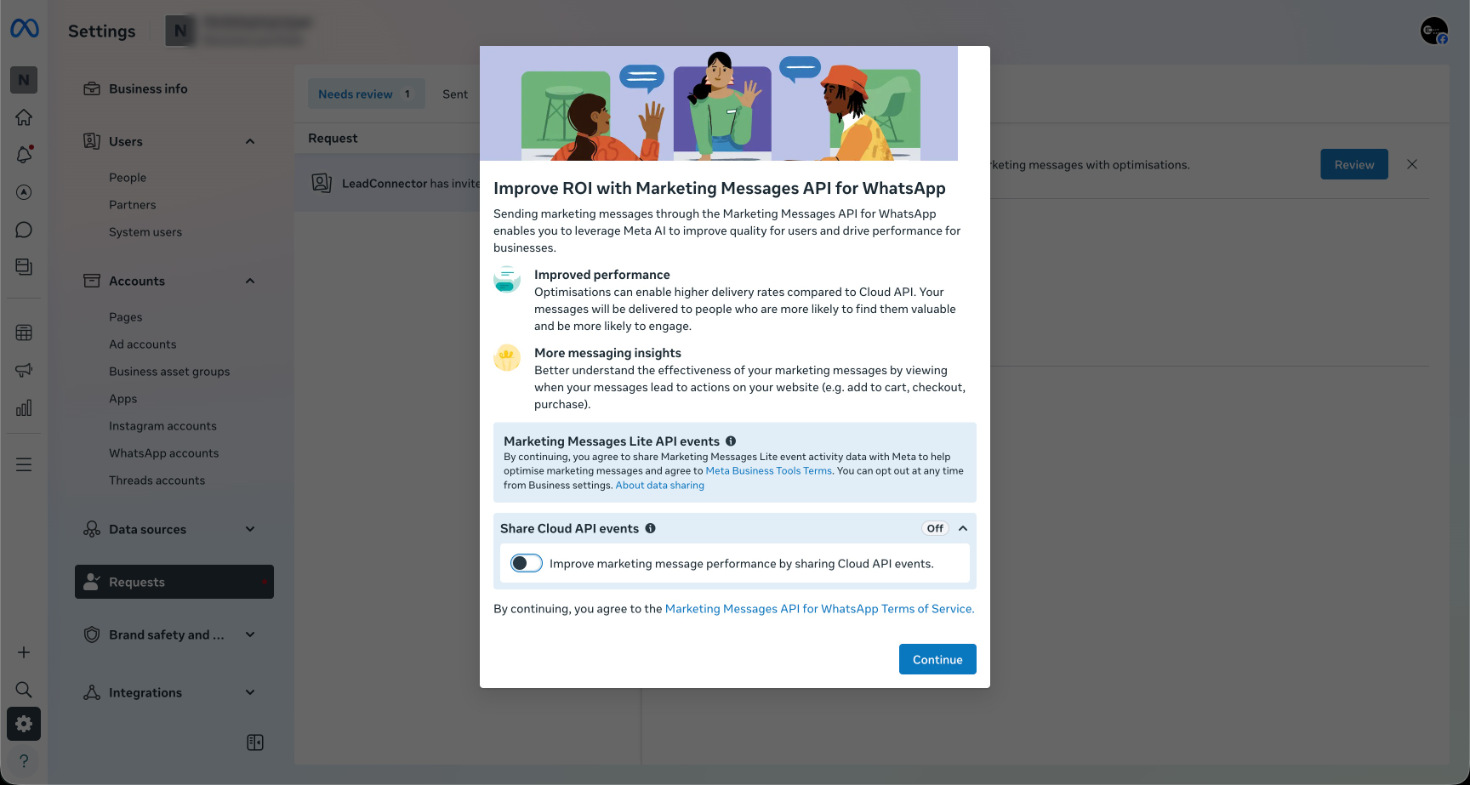
- A prompt to improve ROI with Marketing Messages API will appear — click Continue.
- On the "Review LeadConnector's access request"screen, confirm the permissions and clickFinish.
All existing templates, workflows, and campaigns continue running without interruption.
Why This Matters
Meta is drawing a clear line: Cloud API remains available but receives no new marketing capabilities. Every feature on this list — conversion tracking, benchmarks, GIFs, deep links, creative optimizations, extended TTL — is exclusive to MM API and will stay that way.
Accounts that activate MM Lite today will:
- Deliver more messages to the right people without increasing send volume
- Track the full conversion funnel from WhatsApp message to purchase
- Access creative and format capabilities their competitors on Cloud API don't have
- Benefit from Meta's ongoing investment in the MM API endpoint
This is the future of WhatsApp marketing on the platform. Activate it now.
\
A/B test conducted with ~12M delivered marketing messages by advertisers in India, Jan 1–31, 2025. Compared MM API optimized delivery to standard Cloud API delivery for high-engagement messages only. Analysis: t-test at 95% confidence level.Was this article helpful?
That’s Great!
Thank you for your feedback
Sorry! We couldn't be helpful
Thank you for your feedback
Feedback sent
We appreciate your effort and will try to fix the article