What’s new
We’ve rolled out enhancements to RSS Publishing in Social Planner, making it more flexible and reliable across platforms.
These updates improve how RSS content is generated, previewed, and published, especially for users posting across multiple platforms with different content limits.
How it works
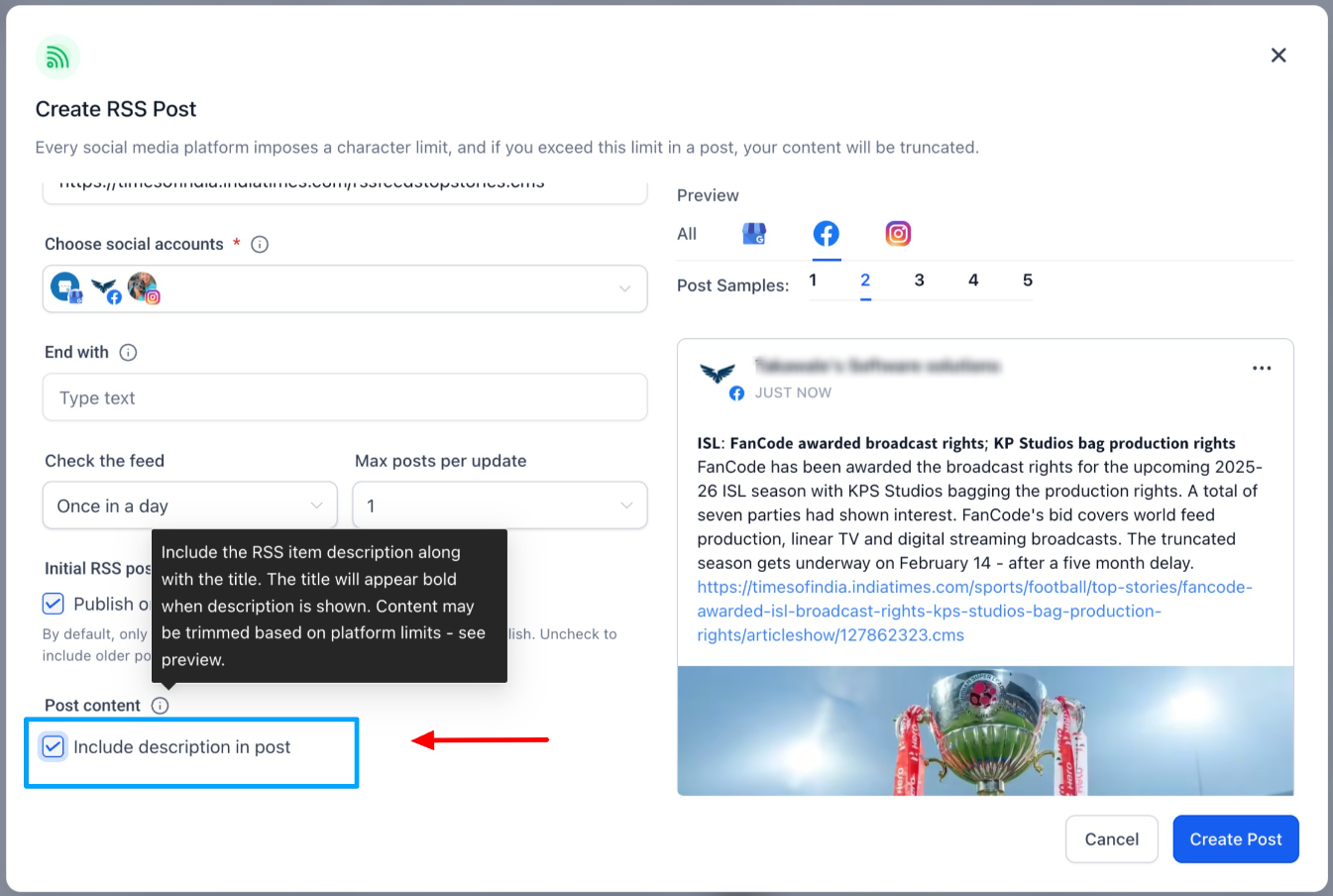
1) Publish RSS Items with Description (New Option)
You now have more control over how much content is shared from RSS feeds.
Users can:
- Toggle ON to publish posts with the RSS item description
- Toggle OFF to continue publishing title-only posts
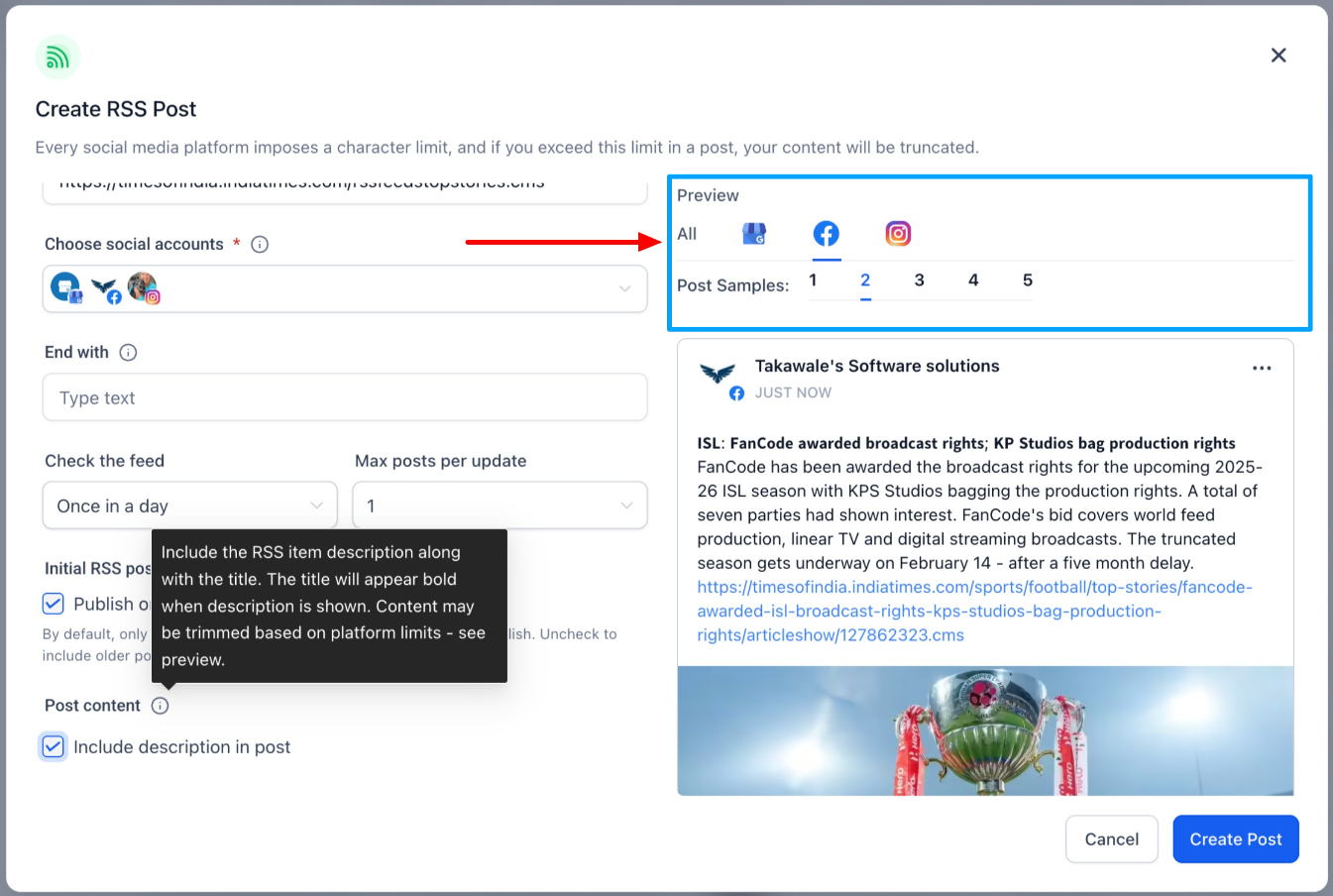
2) Preview Multiple RSS Items (Up to 5)
You can now:
- Preview up to 5 RSS feed items at once
- Quickly evaluate formatting, truncation, and content flow
3) Smarter, Platform Aware Summary Generation
Post content is now generated per platform, respecting individual character limits.
What’s improved:
- Each platform now applies its own content limits independently
- Links and ending text are preserved whenever possible
Why it matters
These improvements help users:
- Publish richer RSS content with better formatting control
- Preview real-world outcomes before automation goes live
- Avoid unexpected truncation across platforms
- Reduce RSS-related publishing failures and inconsistencies
Overall, RSS automation is now more predictable, reliable, and scalable.
How to use
- Go to Marketing → Social Planner → RSS Automation
- Add or edit an RSS feed
- Enable Include Description (optional)
- Review the up to 5-item preview
- Save and automate RSS posts
Was this article helpful?
That’s Great!
Thank you for your feedback
Sorry! We couldn't be helpful
Thank you for your feedback
Feedback sent
We appreciate your effort and will try to fix the article